

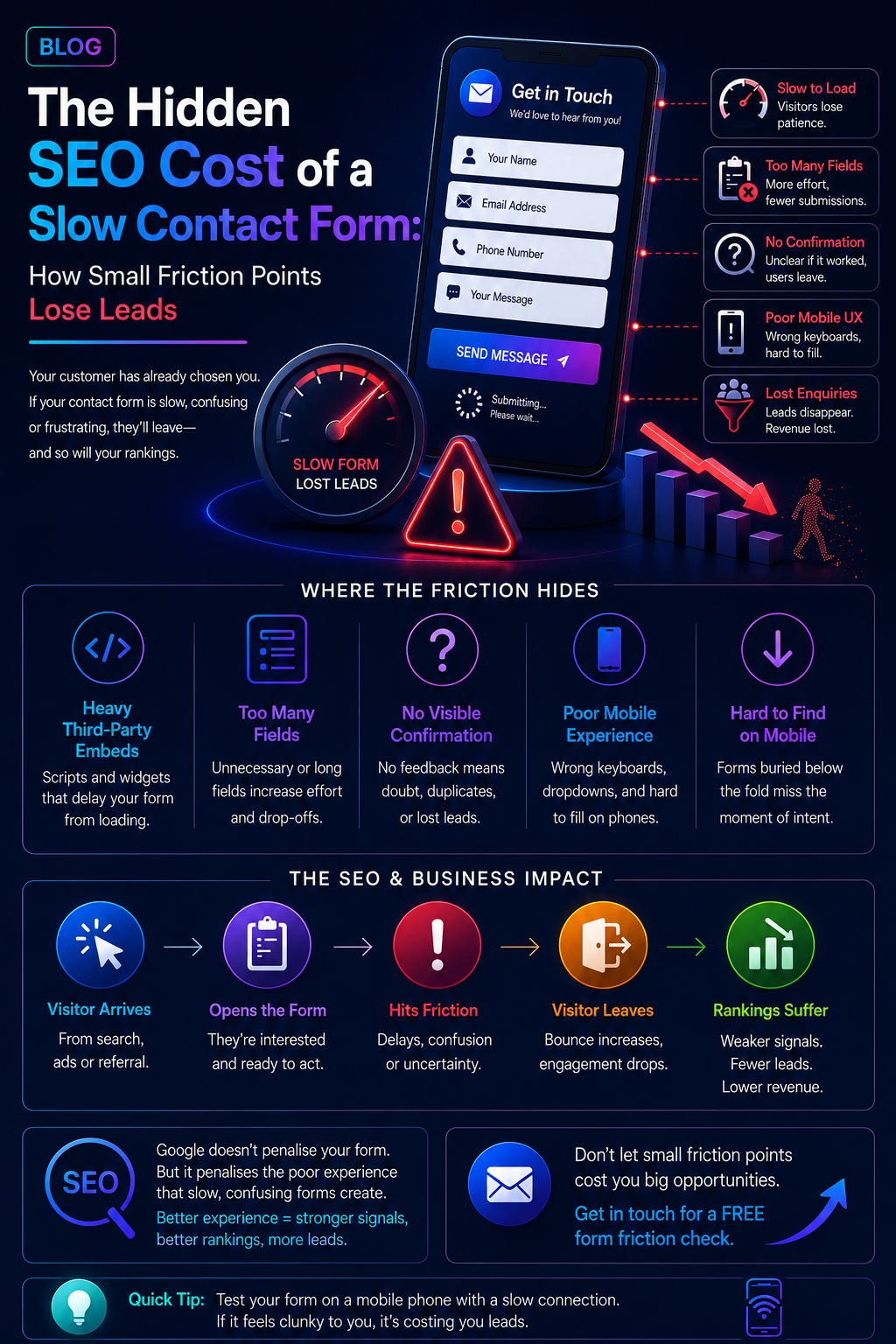
The Hidden SEO Cost of a Slow Contact Form: How Small Friction Points Lose Leads

Most businesses treat their contact form as furniture. It sits at the bottom of the page, it has always been there, and nobody thinks about it again after launch. That is exactly the problem. A contact form is the last three seconds of a customer's decision to trust you, and in Sydney's Sutherland Shire, St George and Western Sydney markets, three seconds of friction is often the difference between a booked job and a closed tab.
This is not a story about page speed scores or Core Web Vitals in the abstract. It is about one specific, under-examined piece of your website: the form itself. How it loads, how it behaves when someone taps into it on a phone at a red light, and what happens in the half-second after they hit submit. Get those details wrong and you are quietly paying a tax on every campaign you run, no matter how well the rest of the site performs.
Why a Slow Form Is Different From a Slow Website
A slow homepage loses a visitor before they have formed an opinion of you. A slow form loses someone after they have already decided to become a customer. They have read your services, checked your reviews, maybe even compared you to a competitor, and chosen you. The form is the one interaction on your entire site where hesitation is guaranteed to cost money, because the person on the other end has already raised their hand.
That makes form friction a different category of problem to general site speed. It does not show up cleanly in a PageSpeed report, because the tools that grade page performance are not built to measure how long it takes a field to respond to a tap, whether a dropdown lags on a mid-range Android phone, or whether a third-party spam filter silently delays submission by two or three seconds. Those gaps live in the experience, not the score.
The SEO Angle Most Businesses Miss
Google does not directly penalise a slow form field, but it penalises the behaviour a slow form creates. When someone lands on your site from a search result, opens the form, gets frustrated, and leaves within seconds, that reads to Google as a weak match between the search and the page. Do that often enough across a site and it drags down engagement signals for the very pages you are trying to rank, the ones built to convert, not just inform.
There is a second, more direct cost too. Every enquiry that fails to submit is a lead for your
lead generation and
local search optimisation work already paid to attract. You have covered the cost of the click, the ranking, or the ad; the form is simply where that investment either lands or disappears.
A Simple Way to Check Your Own Form
Open your own contact form on a mobile phone with a patchy connection, not office wifi. Fill it in as a customer would, including any dropdowns or file uploads. Time how long it takes from tap to confirmation, and note anywhere you hesitated or had to correct something the form assumed for you. If that process feels even slightly clunky to you on your own site, it is costing you enquiries from people who owe you nothing.
We recently walked a Sydney building and pest inspection client through a similar audit focused on overall site speed. The form-level fixes were a smaller piece of that project, but they were the ones that moved enquiry numbers the fastest, simply because they removed the very last obstacle between a decided customer and a submitted job.
If you run a service business across Sutherland Shire, St George, or Western Sydney, a form audit is one of the fastest, cheapest improvements available to you with no rebuild required, just a close look at the one page every campaign eventually points to.
Ready to see what your own form might be costing you?
Get in touch and we'll run a free friction check across your site.
Frequently Asked Questions
Does a slow contact form actually affect my Google ranking?
Not directly, but it affects the behaviour Google uses to judge whether your page satisfies a search, how long someone stays, whether they bounce straight back to the results, and whether they return later to try again. A form that frustrates visitors quietly weakens those signals over time, even if the rest of your site scores well on speed tests.
How many fields should a contact form have?
For most local service businesses, name, phone, suburb, and a short message are enough to qualify an enquiry. Every additional field is a chance for someone to abandon the form, especially on mobile. If you need more detail, collect it in the follow-up call rather than the first form.
Can I test this myself without technical help?
Yes. Fill in your own form on a phone using mobile data rather than wifi, the way a real customer would. Note anything that feels slow, confusing, or unnecessary. That five-minute test surfaces most of the friction points we find in a full audit.
Is this only relevant to trades and service businesses?
Service businesses feel it hardest because their customers are often on the move, but any business relying on form enquiries, childcare centres, clinics, and conveyancers loses the same way. Anywhere a form stands between interest and revenue, friction has a cost.
More Digital Marketing Tips, Tricks & Tools